ISBN for self-published books
An ISBN is the 13-digit number that identifies one edition of one book. If you self-publish on Amazon KDP, you can take a free one from KDP or buy your own from Bowker. This guide explains what the number does, which formats need one, what each option costs and what changes on your book page.
By KDPBook Editorial · Updated · Checked against KDP Help
Key takeaways
- The number identifies one format of one edition. Your paperback, hardcover and ebook each need their own number if they get one at all.
- KDP gives paperbacks and hardcovers a free number. It only works on KDP, and the imprint shows as "Independently published".
- In the US, you buy your own from Bowker: $125 for one, $295 for ten, as listed in October 2026.
- Kindle ebooks do not need one; Amazon gives them an ASIN. Low-content books such as puzzle books can be published without one.
On this page
What an ISBN is and what it does
ISBN stands for International Standard Book Number. Since 2007 every new number has 13 digits and starts with 978 or 979. The middle digits identify the country or language group and the publisher that owns the number, and the last digit is a check digit that catches typing errors.
The number does one job: it lets bookstores, libraries, distributors and sales reports tell one edition of one book apart from every other. It is not a copyright registration and it does not prove you wrote the book. Each country has one official agency that sells or hands out the numbers. In the United States that agency is Bowker; in Canada the government issues them for free; in the UK it is Nielsen.
| It does | It does not |
|---|---|
| Identify one format of one edition | Register or protect your copyright |
| Name the publisher of record (the imprint) | Make your book appear in stores by itself |
| Let stores and libraries order the right book | Carry the price (that is the barcode add-on) |
| Stay with that edition forever | Transfer to someone else once used |
Which formats need an ISBN
Every format is a separate product, so each one that uses a number needs its own. A paperback and a hardcover of the same novel have two different numbers. On KDP, the rules are:
- Paperback: a number is required. Use the free KDP one or your own.
- Hardcover: a number is required, and it must be different from the paperback's.
- Kindle ebook: not required. Amazon assigns an ASIN, its own product number. You can add your own number if you want the ebook listed under your imprint elsewhere.
- Low-content books (puzzle books, journals, planners, notebooks): you may publish without any number. KDP does not give these books a free number, and they cannot use Expanded Distribution either way.
That last rule matters if you make activity books. A large print word search or sudoku book is usually published as low-content, so you can try a theme without buying numbers first. If you want to test the format before you commit, print a few pages of a printable word search and see how the puzzles feel on paper.
Free KDP ISBN vs your own ISBN from Bowker
This is the decision most self-publishers actually face. Both numbers are real, both work on Amazon and both can use KDP Expanded Distribution for paperbacks. The differences are who is named as the publisher and where else you can use the number.
| Free from KDP | Bought from Bowker | |
|---|---|---|
| Cost | Free | $125 for 1, $295 for 10, $575 for 100 |
| Publisher of record | Independently published | Your imprint name |
| Use outside KDP | No, KDP only | Yes, any printer or distributor |
| Expanded Distribution (paperback) | Yes | Yes, if the number was not sent to another distributor |
| Registered to | Amazon | You |
| Good for | A first book, a test, Amazon-only titles | Authors who will also print with IngramSpark or want a press name |
If you only plan to sell on Amazon, the free number is a sensible default. You lose nothing on Amazon itself, and readers rarely look at the imprint line. Buy your own when you want the same paperback printed and distributed somewhere other than KDP, when you want a press name on the book page, or when you plan several books and would rather own the full record. A block of ten costs little more than two single numbers, so if you buy at all, buy ten.
How to get an ISBN for your book
Option 1: the free KDP number
- 1
Start a paperback or hardcover in KDP
Fill in the details page and continue to the content page.
- 2
Choose the free KDP option
KDP assigns the number at once and shows it on screen.
- 3
Add it to your copyright page
Put the number on the copyright page of the interior file before you upload it. KDP prints the barcode on the back cover for you.
Option 2: buy your own from Bowker (US)
- 1
Buy a block on MyIdentifiers
Bowker's store is myidentifiers.com. Buy direct: numbers resold by third parties name the reseller as the publisher.
- 2
Assign one number per format
In your Bowker account, fill in the title, format, imprint and contributors for each number you use.
- 3
Enter it in KDP
On the content page choose "Use my own ISBN" and type the number and the imprint exactly as registered.
Outside the US, use your country's agency instead. Canadian authors get numbers free from Library and Archives Canada, and many other countries have low-cost or free agencies. The rule is simple: buy from the agency for the country where you, the publisher, live.
One more term you will meet on Amazon: the ASIN. It is Amazon's own product code, and every listing has one. For a paperback, the ASIN is usually the 10-digit form of your number; for a Kindle ebook without one, Amazon makes up a code that starts with B0. Readers search by title and author, so neither code affects how often your book is found. They only matter to stores, libraries and your own records, which is why it pays to keep a simple list of which number belongs to which format and edition.
When you need a new ISBN
Fixing typos, updating a cover or changing the price keeps the same number. A real change to the book needs a new one: a revised edition with substantial new content, a new title, a new trim size, a switch from paperback to hardcover, or a change of publisher. If readers would reasonably expect a different book, it is a new edition.
Where the ISBN fits when you publish
The number is one of the last things you need, so do not let it hold up the work. Most authors spend months on the manuscript: if you are still there, our guide to the steps to write a book covers the part before publishing. Once the book is done, the KDP self-publishing guide walks through the whole upload, including the content page where the ISBN choice appears.
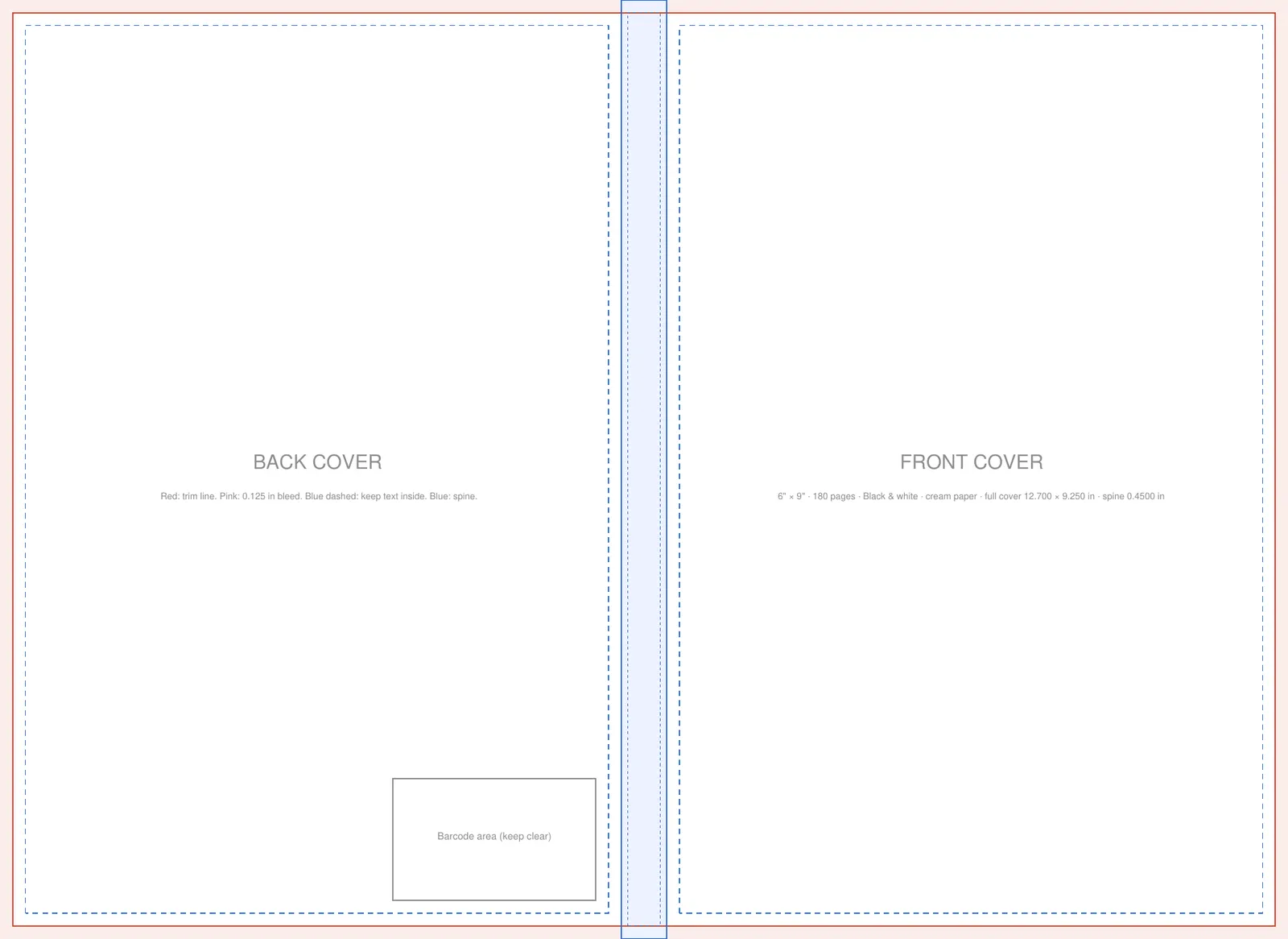
If you are making a picture book, puzzle book or novel with KDPBook, the book has a copyright page you can edit to add the number, and the wrap cover keeps the barcode area on the back clear, so the free KDP number or your own fits in without redoing the design. You can make the book with the book generator first and decide on the number at the end.
Frequently asked questions
Do I need an ISBN to publish on Amazon?
For a paperback or hardcover, yes, but KDP gives you one free. A Kindle ebook does not need one, and low-content books such as journals and puzzle books can be published without one.
How much does an ISBN cost?
In the US, Bowker charges $125 for one, $295 for ten, $575 for 100 and $1,500 for 1,000 (October 2026 prices). The KDP number is free. Canada issues numbers free of charge.
Can I use the free KDP ISBN on IngramSpark?
No. A free KDP number can only be used on KDP. To print the same edition elsewhere, you need your own number.
Does an ISBN protect my copyright?
No. Copyright belongs to you as soon as you write the book. The number only identifies the edition. To register copyright in the US, you file with the US Copyright Office.
Is an ISBN the same as a barcode?
No. The barcode is a picture of the number that scanners can read, sometimes with a price add-on. KDP adds the barcode to your back cover if you leave the space clear.
Do ebooks and paperbacks share an ISBN?
No. Each format needs its own number. On Amazon the ebook usually has none at all and uses an ASIN instead.